
Advertisement
Click to download now, finish the installation quickly, and directly unlock the "all-round experience"
Advertisement
Screenshots


Click to download now, finish the installation quickly, and directly unlock the "all-round experience"
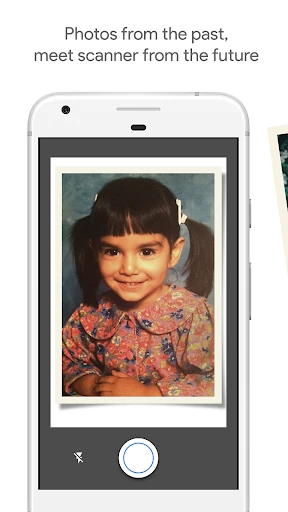
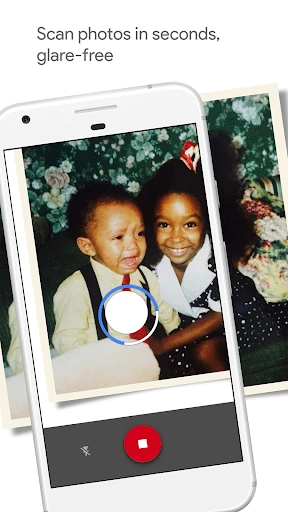
PhotoScan by Google Photos represents a masterclass in applying computational photography to a legacy problem: digitizing physical memories. While most camera apps struggle with the physics of glossy photo paper and environmental reflections, PhotoScan leverages sophisticated stitching algorithms to eliminate glare and geometric distortion. It stands as a pivotal tool in the Photography landscape, bridging the gap between analog history and the digital cloud with the efficiency and intelligence characteristic of the Google ecosystem.
The interface is remarkably minimalist, staying true to Google’s Material Design philosophy. The core experience revolves around a clever "four-dot" alignment system that gamifies the scanning process, making a complex technical task feel intuitive for users of all skill levels. By stripping away extraneous buttons and focusing on a guided capture flow, the app achieves a frictionless experience that prioritizes speed. For the Photography category, it sets a high bar for "invisible" tech—where the complexity of the math is hidden behind a simple, friendly interface.
The app could benefit significantly from a "Batch Mode" that allows users to scan multiple photos on a single page more efficiently. Additionally, providing options for higher-resolution output or "Lossless" saving would appeal to the power users and enthusiasts who want archival-grade quality. Incorporating basic color restoration tools directly within the scanning flow—to fix faded or yellowed vintage prints—would also add immense value for the target demographic.
PhotoScan by Google Photos is the definitive solution for family archivists, nostalgia seekers, and casual users looking to rescue physical prints from shoeboxes and old albums. It is the best-in-class choice for anyone who values convenience and glare-free results over the slow, technical process of hardware scanning. If you have a collection of physical photos gathering dust, this is the essential tool to bring them into the digital age.