
Advertisement
Click to download now, finish the installation quickly, and directly unlock the "all-round experience"
Advertisement
Screenshots

Click to download now, finish the installation quickly, and directly unlock the "all-round experience"
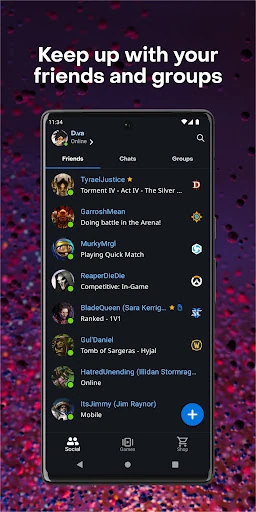
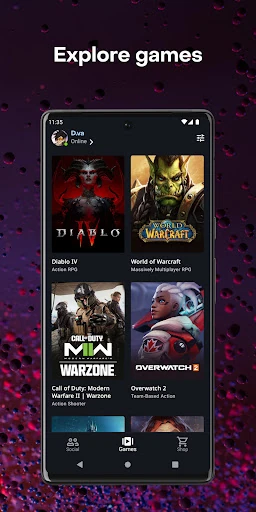
Battle.net serves as the indispensable mobile bridge to the Blizzard ecosystem, positioning itself as a sophisticated social and security hub rather than a mere companion app. Within the entertainment landscape, it acts as a unified platform for community management and content discovery. For players of titles such as World of Warcraft, Overwatch, and Diablo, this app is a mandatory extension of the desktop experience, providing a professional and seamless transition from the gaming rig to the mobile environment.
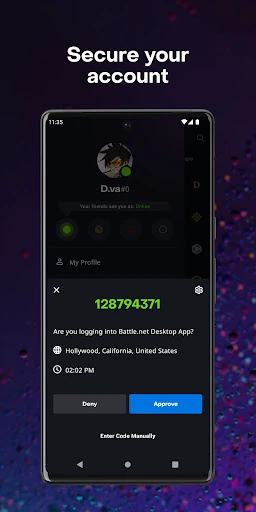
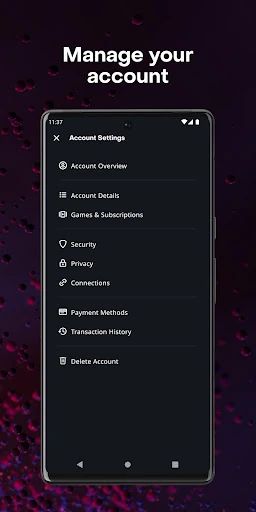
The Battle.net mobile interface adheres to the high-production standards expected of a top-tier entertainment entity. The UI is clean, utilizing a logical tab-based navigation system that prioritizes social connectivity and account security. From a UX perspective, the app excels at "micro-interactions"—such as the quick approval of a security prompt or responding to a direct message—though the news and shop sections require significant bandwidth to maintain the intended fluid visual experience.
Future updates should focus on deeper integration of the community forums to move away from web-view styles toward a native mobile feel. Furthermore, the inclusion of customizable home screen widgets for "Friends Online" or "Latest Patch Notes" would significantly enhance the app's utility as a passive information tool for hardcore players.
Battle.net is a must-have utility for any active Blizzard gamer. It is specifically tailored for users who want to maintain their social gaming presence and secure their accounts without being tethered to a PC. While its appeal is narrow—focused exclusively on the Blizzard catalog—it executes its core functions of security and coordination with professional-grade precision.