🏆 Expert Verdict & Overview
Remove It : Remove Objects emerges as a specialized utility in the mobile photography landscape, specifically targeting the common pain point of "visual noise." As mobile sensors become more capable, the demand for sophisticated post-processing tools has shifted from simple filters to generative AI content removal. This app positions itself as a streamlined, AI-driven solution that democratizes complex retouching tasks—such as removing photobombers or skin imperfections—that once required desktop-grade software like Photoshop. Its focus on "Smart AI Precision" reflects a broader trend in the Google Play ecosystem where automated, context-aware editing is the new standard for photography enthusiasts and social media content creators.
🔍 Key Features Breakdown
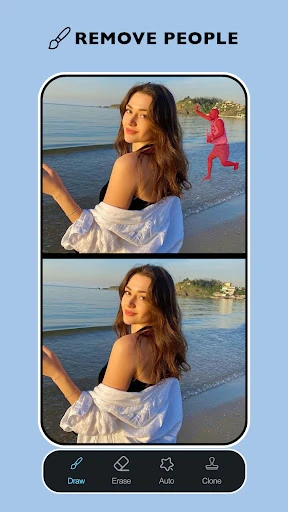
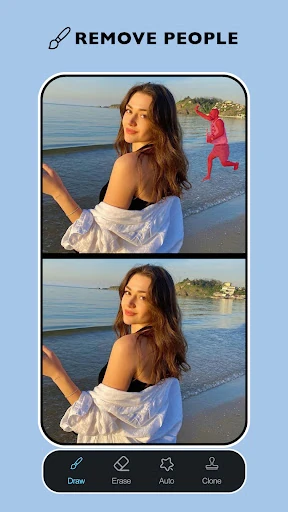
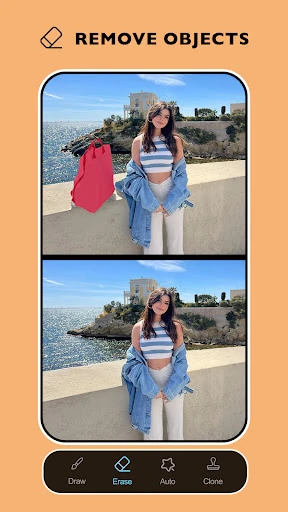
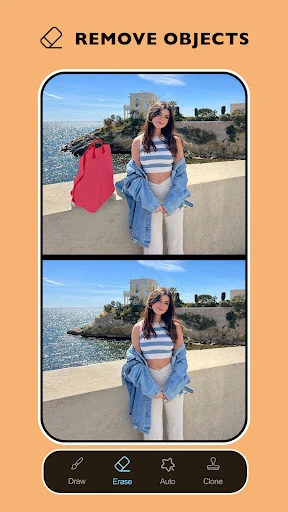
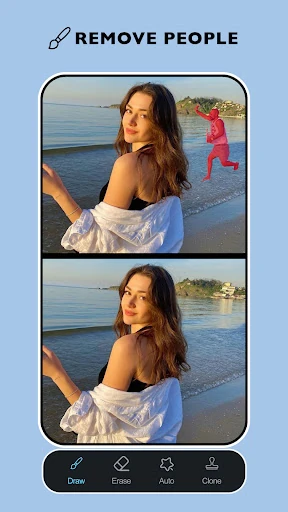
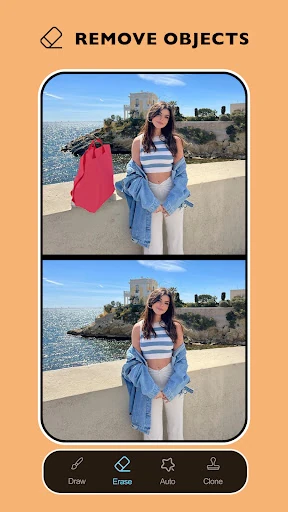
- Intelligent Object Removal: Utilizing smart AI detection, this feature allows users to eliminate clutter and distractions from their frames while the engine reconstructs the underlying background texture to maintain visual integrity.
- Portrait Refinement Suite (Acne & Blemish Remover): Specifically tuned for skin retouching, these tools provide a surgical approach to clearing imperfections without sacrificing the natural texture of the subject's skin.
- Context-Aware Background Eraser: Beyond simple object removal, the app offers the ability to isolate subjects and clean up busy backgrounds, creating a more focused and professional aesthetic for portraits.
- Precision Brush Control: To solve the problem of automated "over-erasing," the adjustable brush size and manual controls allow users to define exact boundaries for complex edits.
- Instant Comparative Preview: The before-and-after toggle provides immediate visual feedback, allowing editors to monitor the realism of their adjustments in real-time.
🎨 User Experience & Design
The user interface of Remove It : Remove Objects is built around a "function-first" philosophy, minimizing the friction between image selection and the final export. By prioritizing a clean workspace with intuitive iconography, the app adheres to the design standards expected within the Photography category. The inclusion of non-destructive editing features, such as undo and redo actions, significantly enhances the user experience by encouraging experimentation without the risk of losing the original data. The workflow is logically sequenced, guiding the user from broad object detection to granular, manual refinement, which caters well to both casual users and those with a more meticulous eye for detail.
⚖️ Pros & Cons Analysis
- ✅ The Good: Seamless AI blending technology that minimizes "smudging" artifacts often found in lower-tier editing apps.
- ✅ The Good: Highly versatile toolset that handles both macro-level object removal and micro-level portrait retouching within a single interface.
- ❌ The Bad: Complex backgrounds with intricate patterns may still require significant manual brushing to achieve a perfectly natural look.
- ❌ The Bad: The reliance on AI processing means that results can vary depending on the contrast and lighting conditions of the original photo.
🛠️ Room for Improvement
To further elevate the app, the developers should consider integrating an AI-powered "Shadow Reconstruction" feature. Currently, when large objects are removed, the shadows they cast can sometimes remain, leading to a "floating" effect for surrounding elements. Additionally, implementing a batch processing mode for removing watermarks or consistent date stamps across multiple photos would be a significant productivity booster for power users. Expanding the AI to suggest "Auto-Cleanup" areas upon image import could also streamline the workflow for beginners.
🏁 Final Conclusion & Recommendation
Remove It : Remove Objects is a robust and highly capable tool designed for social media influencers, hobbyist photographers, and anyone looking to "save" an otherwise perfect shot from unwanted distractions. It excels at balancing automated AI power with manual user control. We recommend this app for users who prioritize speed and efficiency in their mobile editing workflow but still demand high-quality, professional-grade results that don't look over-processed.