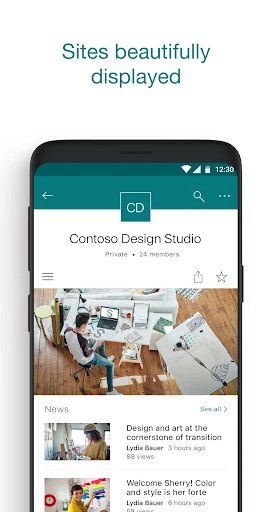
Microsoft SharePoint

Microsoft SharePoint

Microsoft Corporation
Advertisement
4.0
Productivity
10,000,000+ Downloads

Click to download now, finish the installation quickly, and directly unlock the "all-round experience"

Advertisement

Screenshots
Screenshot
Screenshot
Screenshot
Screenshot
Screenshot
Screenshot

About This App

πŸ† Expert Verdict & Overview

Microsoft SharePoint stands as the sophisticated, AI-driven backbone of the modern digital workplace, successfully transitioning from a complex document repository into a dynamic mobile collaboration hub. Within the Productivity landscape, it serves as the primary connective tissue for organizations relying on the Microsoft 365 ecosystem. By infusing the mobile experience with machine learning, SharePoint anticipates user needs, surfacing relevant content and colleague activity before a search is even initiated. It is a powerful, authoritative tool that ensures enterprise-level knowledge management is no longer tethered to a desktop.

πŸ” Key Features Breakdown

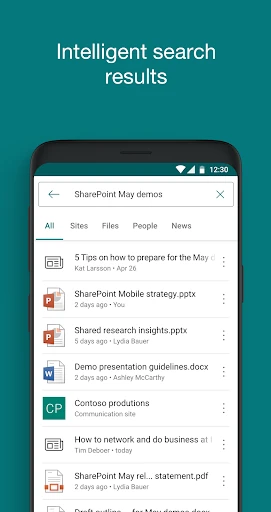
  • AI-Driven Discovery: The app utilizes intelligent algorithms to analyze your work patterns and relationships, automatically surfacing the files, sites, and people most relevant to your current tasks.
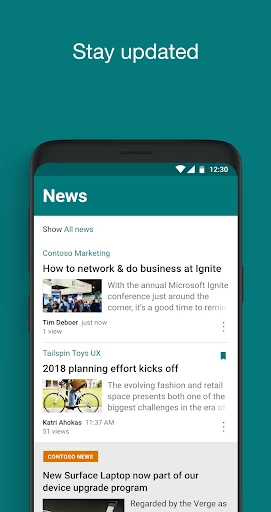
  • Mobile News Publishing: Empowers users to create, edit, and share news posts and status updates directly from their device, ensuring that internal communication remains fluid and real-time.
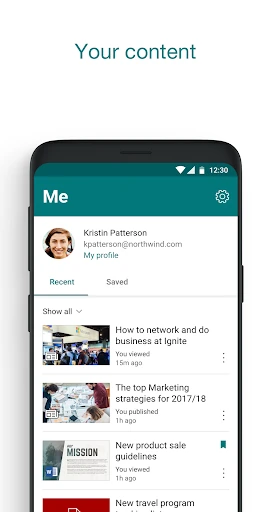
  • Interactive Contact Cards: Provides deep insights into the organizational structure by allowing users to view a colleague's profile, their recent work, and their immediate team members with a single tap.
  • Hybrid Connectivity: Bridges the gap between modern and legacy systems by supporting SharePoint Online alongside on-premises SharePoint Server versions 2013 and higher.
  • Seamless Account Switching: Enables power users and consultants to manage and jump between multiple organizational accounts without the need for constant re-authentication.

🎨 User Experience & Design

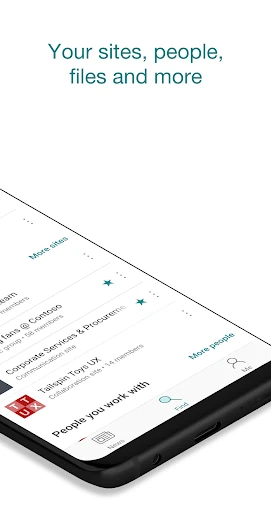
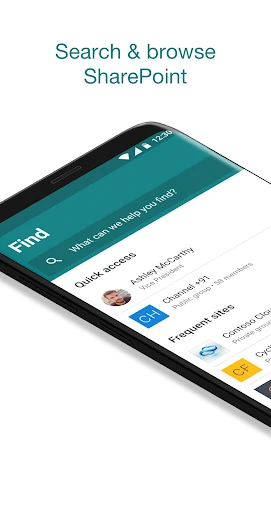
The interface reflects Microsoft’s modern Fluent Design System, prioritizing clean lines, readable typography, and a focused navigation structure. Unlike many enterprise apps that feel cluttered, SharePoint Mobile utilizes a bottom-navigation bar that puts Search and News within thumb-reach. The "Find" tab is particularly well-executed, blending recent files with site navigation in a way that feels intuitive for a mobile workflow. While the depth of content can be vast, the app manages hierarchy well, though users with complex site structures may still find deep-level navigation slightly more taxing than on a desktop browser.

βš–οΈ Pros & Cons Analysis

  • βœ… The Good: Exceptional integration with the broader Microsoft 365 suite, providing a unified experience for files and team communication.
  • βœ… The Good: The AI-powered "Find" tab significantly reduces the friction of locating documents across massive corporate intranets.
  • ❌ The Bad: Performance and feature availability can vary significantly depending on whether the organization is using a legacy on-premises server versus the cloud.
  • ❌ The Bad: The initial setup and login process can be cumbersome for users in organizations with complex multi-factor authentication or strict Intune policies.

πŸ› οΈ Room for Improvement

To further enhance the mobile experience, Microsoft should focus on improving offline capabilities; currently, accessing complex site pages without a stable connection can be hit-or-miss. Additionally, integrating a more robust "Light" editing mode for SharePoint pages (beyond just news posts) would empower site owners to make quick layout adjustments on the fly. Finally, streamlining the transition between SharePoint and the OneDrive app would reduce the cognitive load of managing files across two different, yet overlapping, mobile interfaces.

🏁 Final Conclusion & Recommendation

Microsoft SharePoint is a mandatory installation for any professional working within a medium-to-large enterprise that utilizes Microsoft 365. It is specifically designed for knowledge workers who need to stay "in the loop" regarding corporate announcements and document updates while away from their desks. While it may be overkill for small teams with simple file-sharing needs, it is the gold standard for secure, scalable, and intelligent corporate intranets. For the target audience of enterprise employees, this app is the essential gateway to organizational intelligence.